Unlock JavaScript
hidden secrets
JXScout discovers, analyzes, and optimizes JavaScript to reveal the security vulnerabilities that others miss.
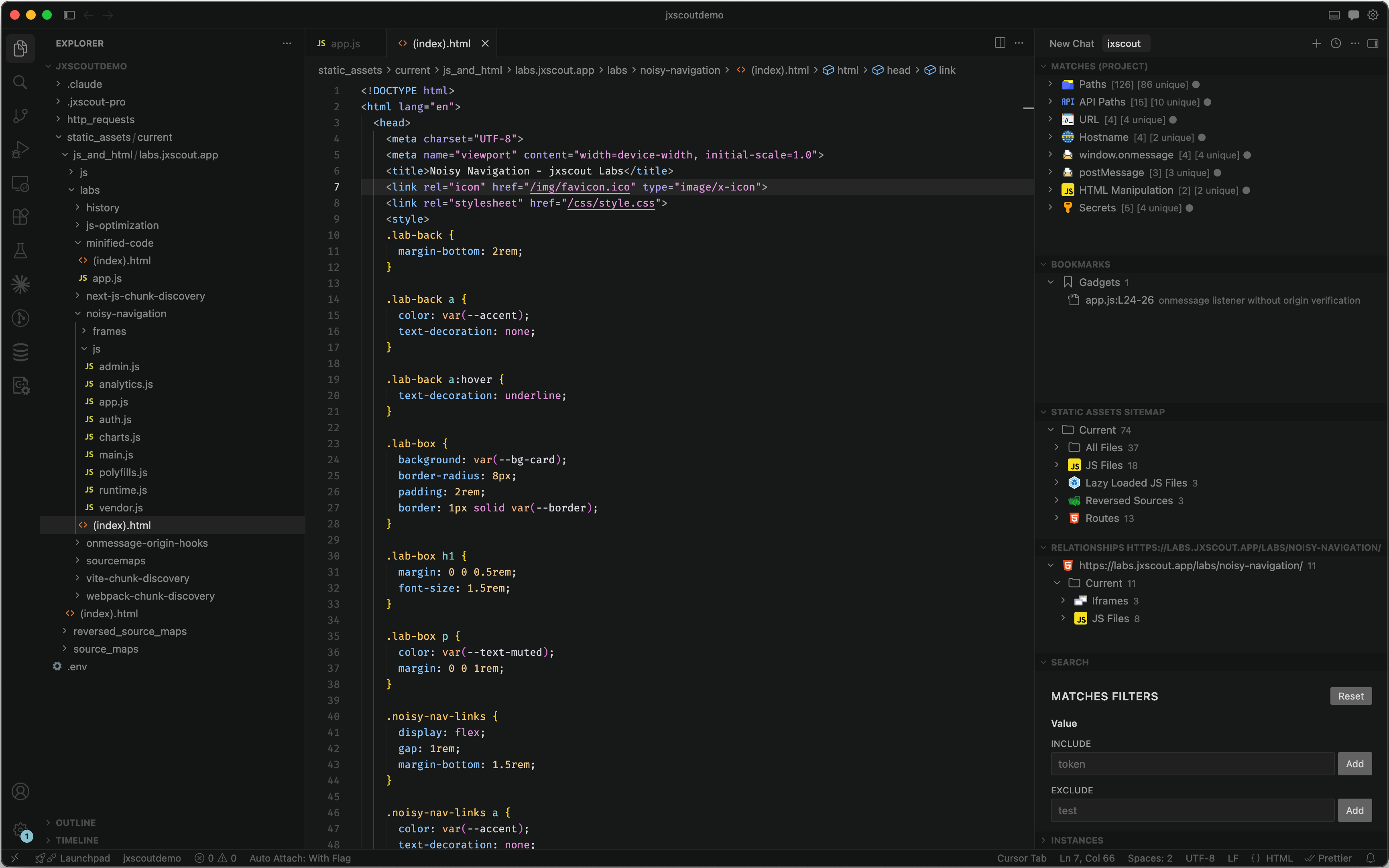
JXScout discovers, analyzes, and optimizes JavaScript to reveal the security vulnerabilities that others miss.
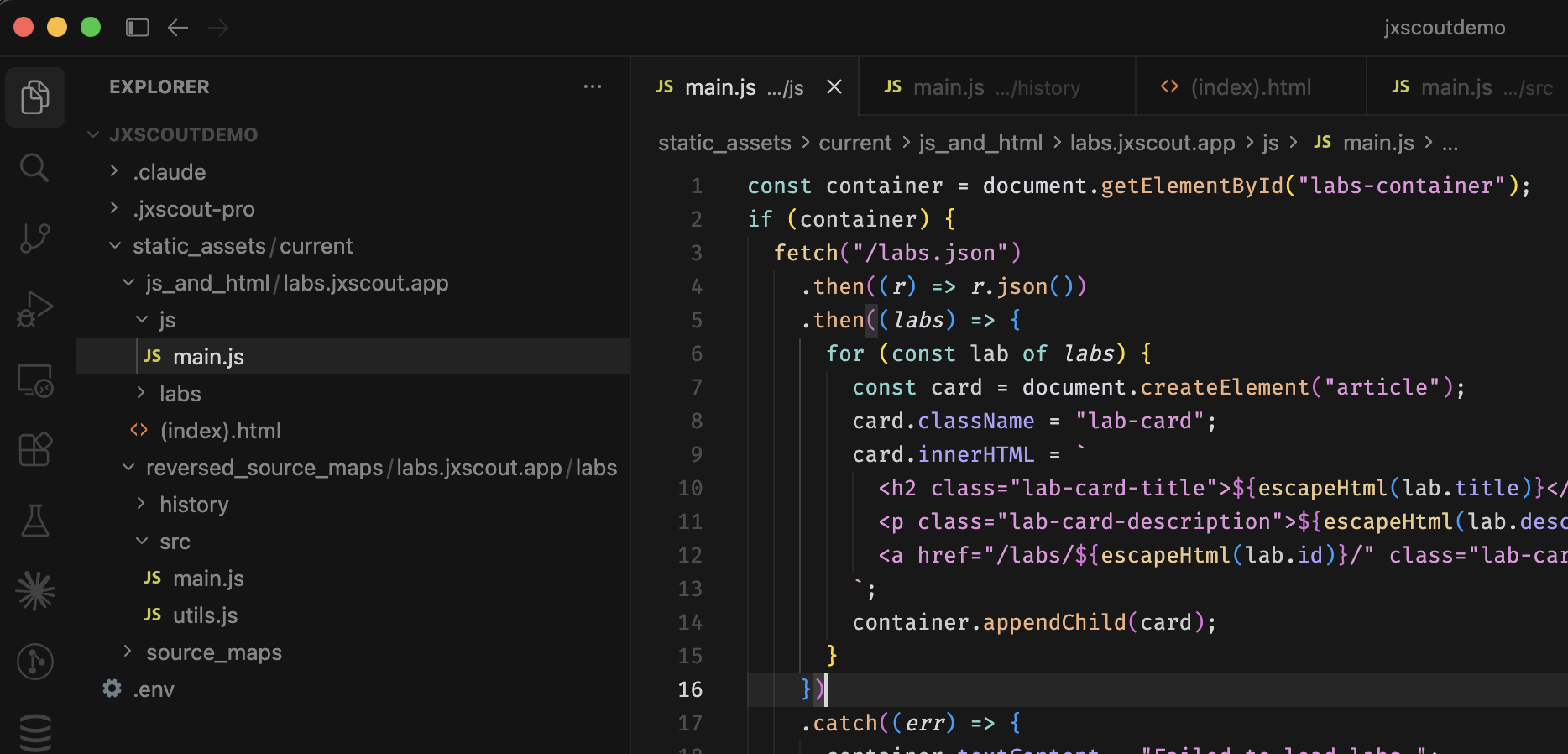
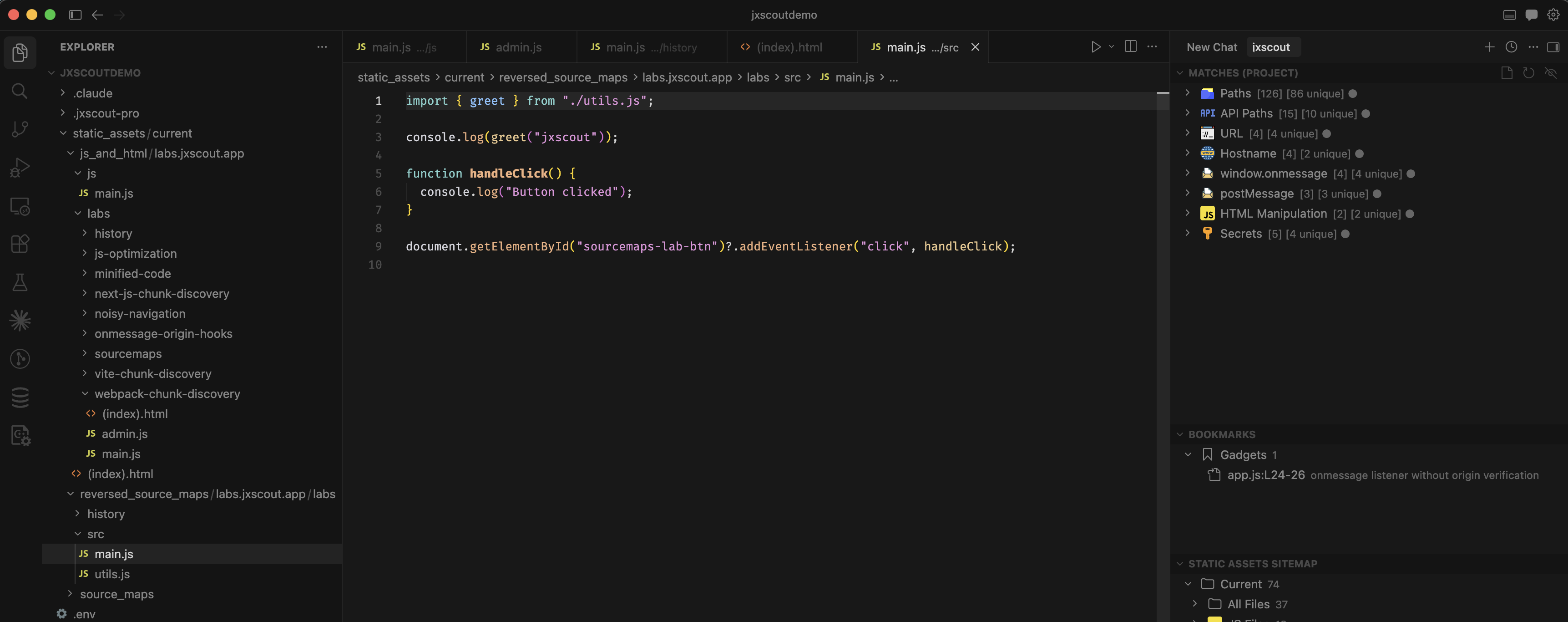
JXScout saves every HTML and JS file to a clean, browsable folder structure mirroring the target's URL paths. Minified code is automatically beautified so you — and your AI agents — can read it instantly.
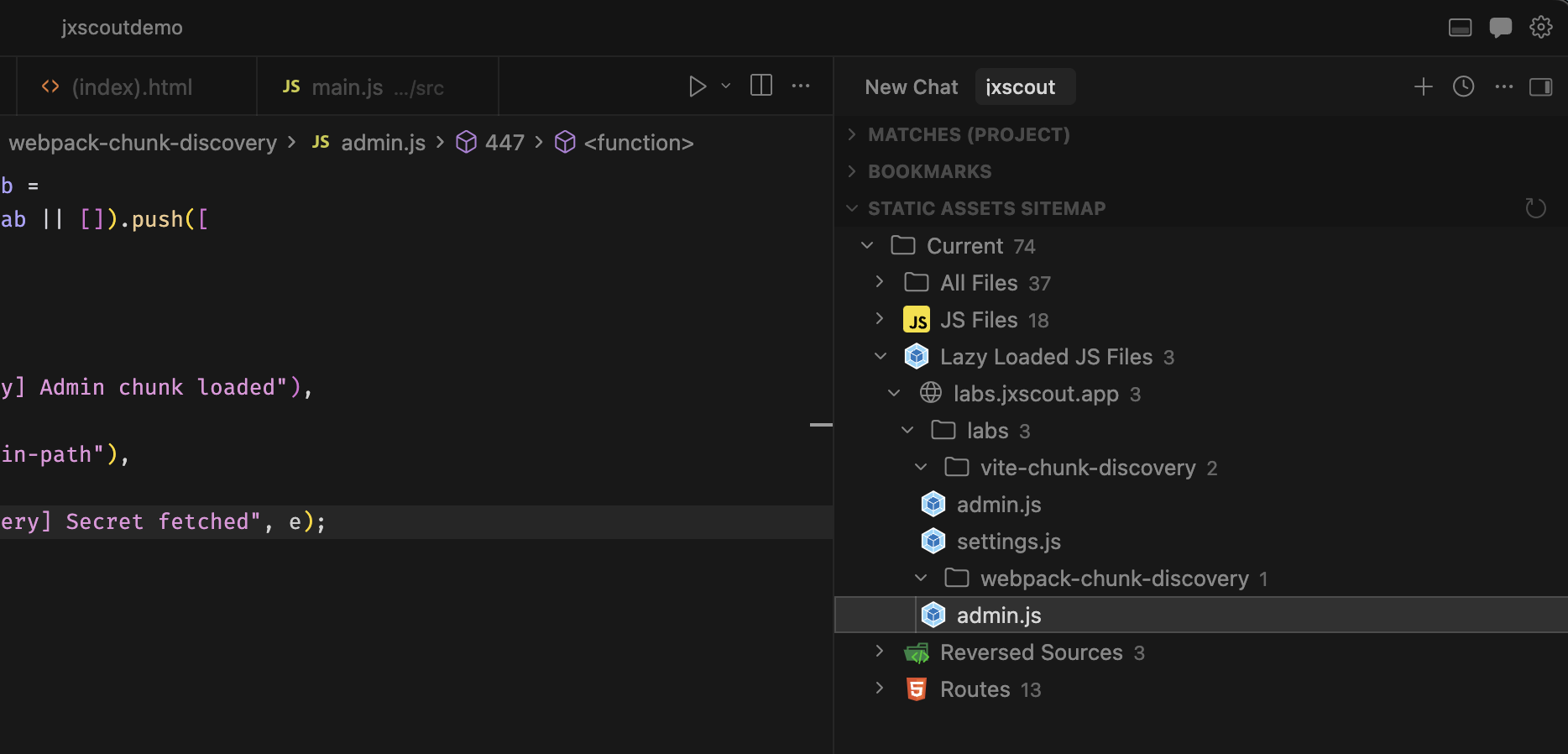
Modern apps lazy-load JavaScript chunks that only appear under specific conditions. JXScout's chunk discovery engine supports Webpack, Vite, and Next.js — automatically fetching every chunk to maximize your coverage.
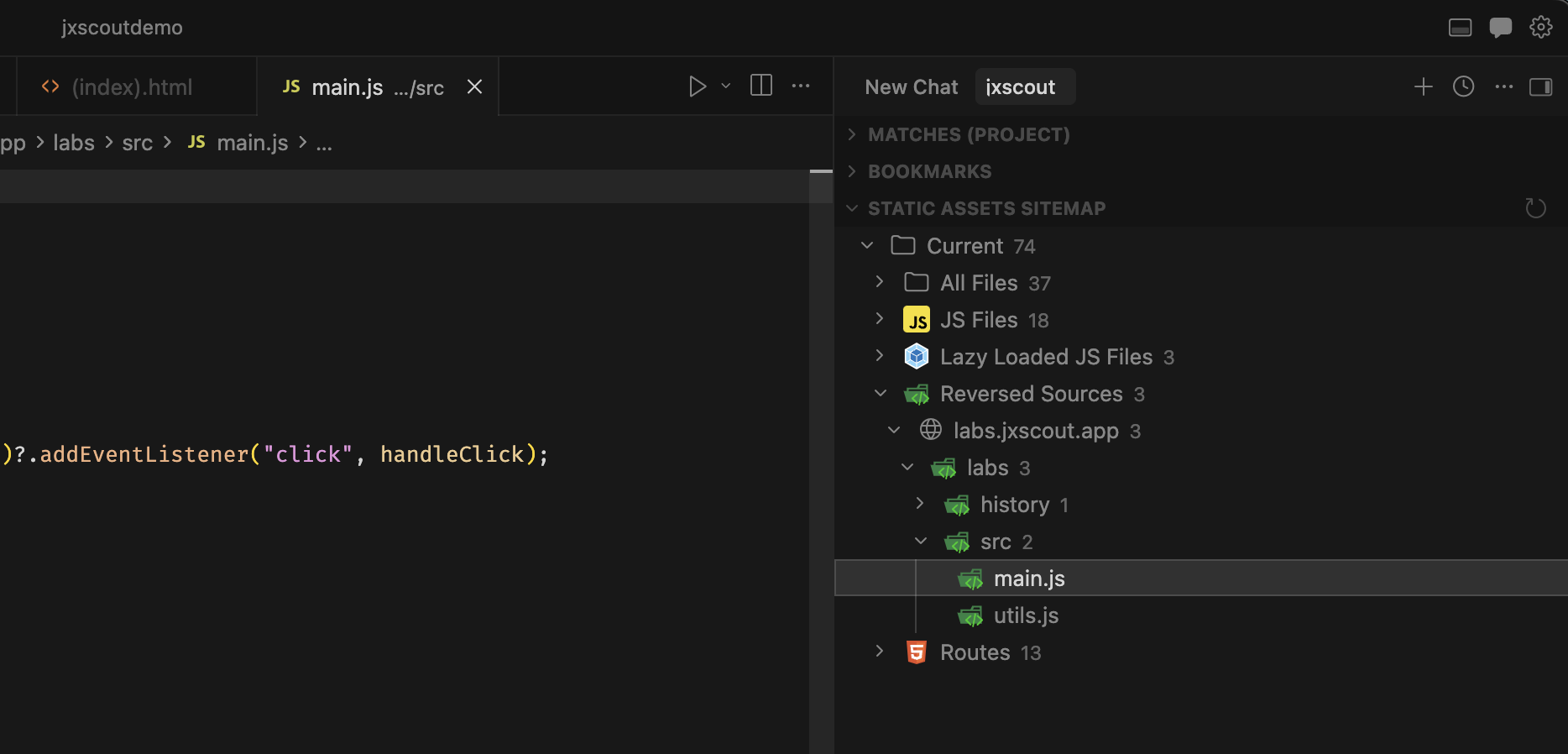
When developers accidentally expose sourcemaps, JXScout finds and reverses them automatically — giving you the original, unminified source code with variable names, comments, and structure intact.
JXScout's static analysis engine automatically extracts API paths, hostnames, DOM manipulations, and custom patterns. Navigate large codebases instantly and extend with your own analyzers.
Automatically extract routes and API endpoints from JavaScript.
Discover backend services, API domains and URLs.
Detect postMessage handlers, innerHTML and other dangerous patterns.
Define regex, derived, or script-based analyzers for your specific needs.
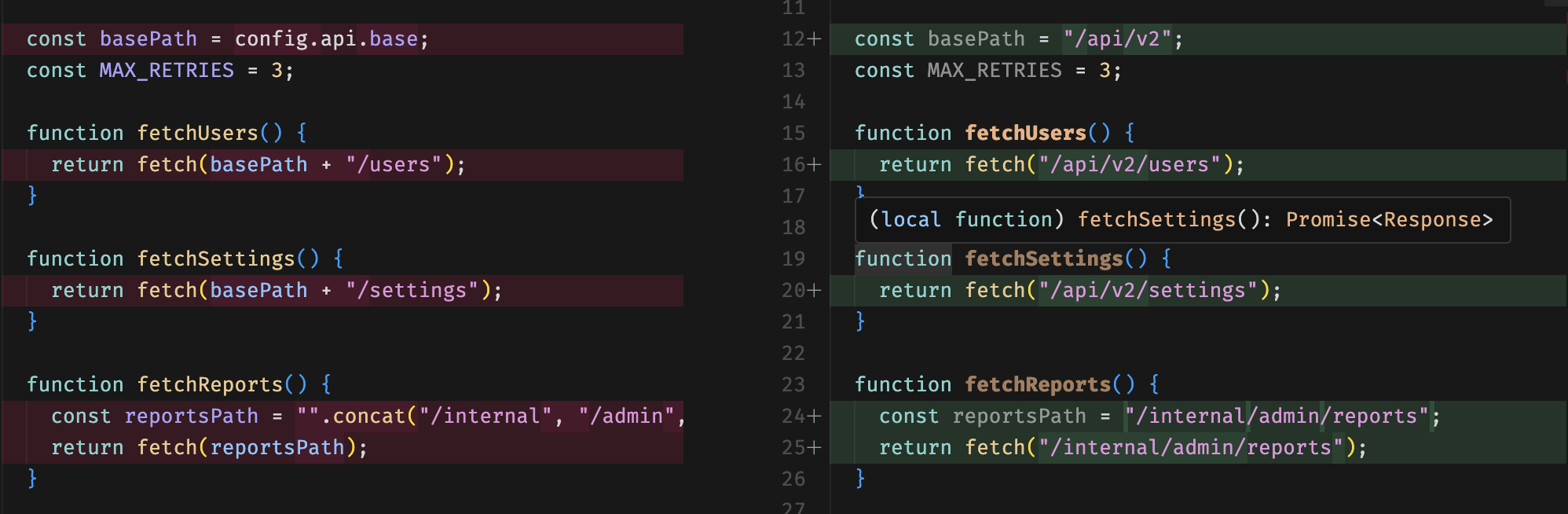
The JavaScript optimizer inlines variable references, resolves string concatenations, and evaluates JSON.parse expressions — revealing API endpoints and server-side paths that were invisible to standard static analysis.
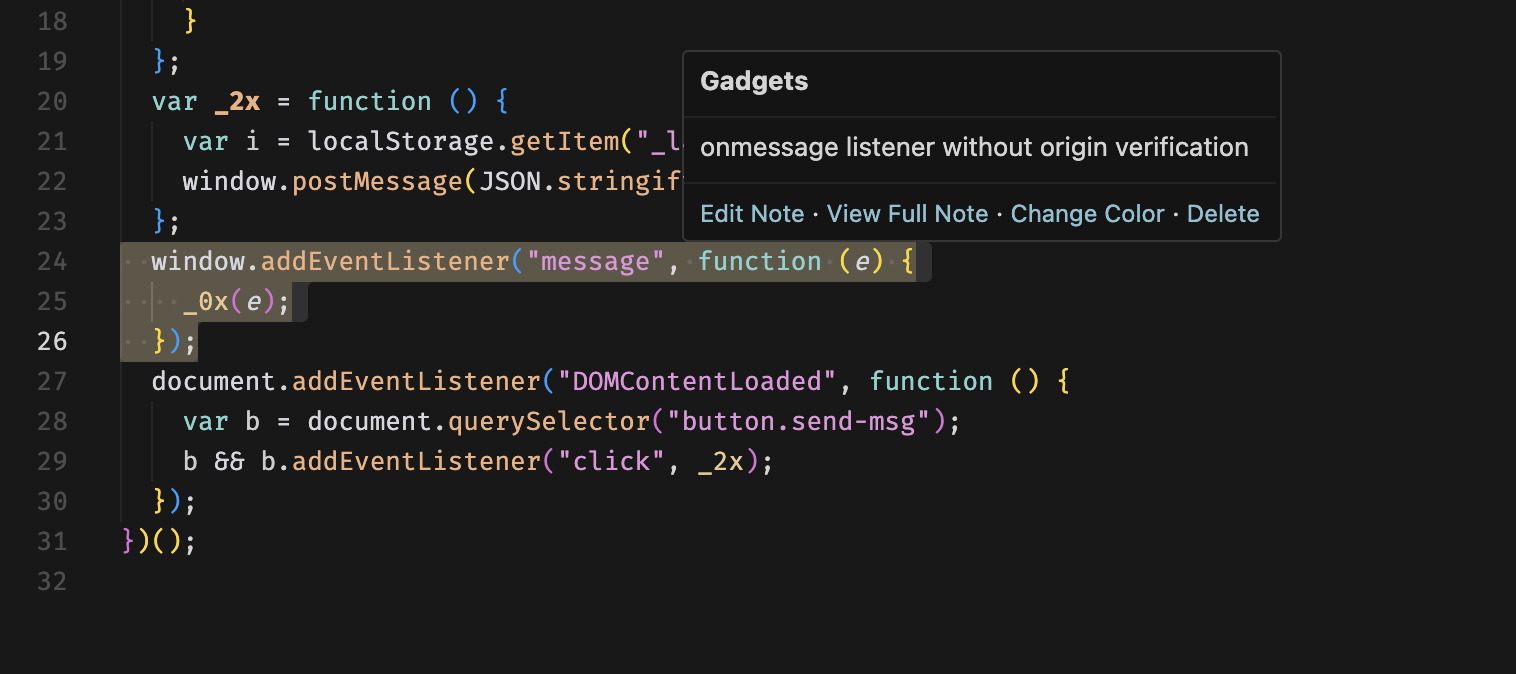
Highlight any section of code and save it as a bookmark with notes. Track interesting gadgets, dangerous sinks, data flow chains, and anything worth revisiting.
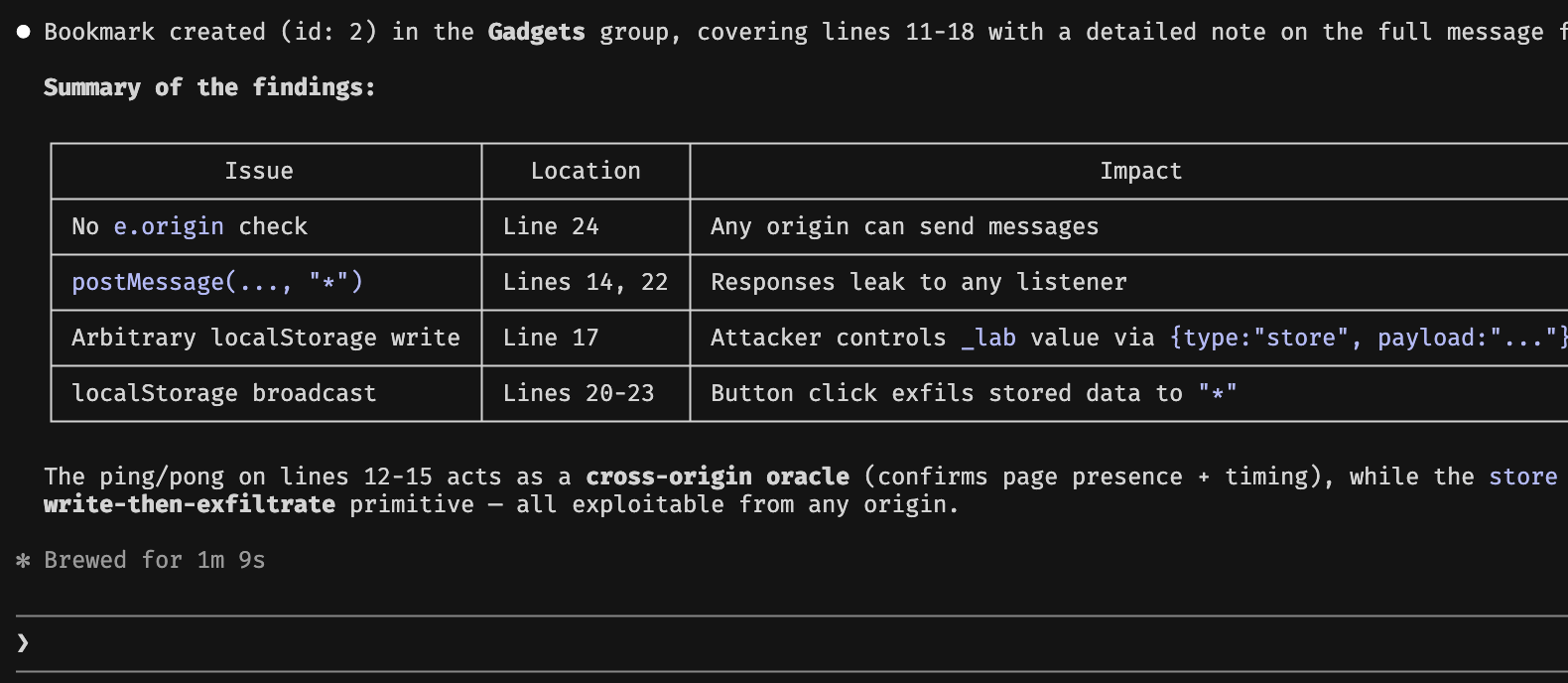
JXScout ships with agent skills that let AI assistants access static analysis results, manage bookmarks, and interact with your projects directly — turning any LLM into a security research partner.
For individual security researchers
For teams
You’ll receive an email with your license key and a download link right away. From there you should be up and running in minutes.
I’m always happy to help! You can reach me by email at francisco@jxscout.app. I typically respond within a few hours.
Yes! JXScout works with both Burp Suite and Caido out of the box.
Yes, JXScout Pro runs natively on all three platforms — Windows, Linux, and macOS.
Any modern machine with at least 8 GB of RAM and a quad-core processor should handle JXScout Pro comfortably. Please reach out in case you have any performance issues.
I’d love to hear from you! Send me an email at francisco@jxscout.app.